Open Sourcing SkillEval: A Visual Workbench for AB Testing AI Skills
Last week, I wrote about improving Anthropic's frontend design skill . The short version: I noticed the skill file had instructions Claude couldn't actually follow, rewrote it with clearer guidance, and needed a way to prove the changes were better beyond my own personal taste. So I built an evaluation system, ran 30 blind comparison pairs across the 3 levels of the Claude 4.5 model family, and found the revised skill won 75% of decisive matchups.
By Justin Wetch
Last week, I wrote about improving Anthropic's frontend design skill . The short version: I noticed the skill file had instructions Claude couldn't actually follow, rewrote it with clearer guidance, and needed a way to prove the changes were better beyond my own personal taste. So I built an evaluation system, ran 30 blind comparison pairs across the 3 levels of the Claude 4.5 model family, and found the revised skill won 75% of decisive matchups.
People asked for the eval system. So I extracted it, generalized it, and now it's open source.
The problem with vibes
Skills are essentially specialized system prompts that give Claude domain-specific capabilities. Anthropic has open-sourced a bunch of them : skills for creating Word documents, spreadsheets, PDFs, frontend design. The community is writing more. The difficult thing is proving that a skill change is a positive change beyond a small set of manual checks. If you don’t check on a wide range of sample problems, you could easily be creating a “spiky” change that’s only good at specific things but actually regresses in other ways.
How do you test which version of a skill might be better? The honest answer is usually vibes. You write a skill, run it a few times, look at the outputs, and decide it feels better. This works, kind of, but it leaves a lot on the table. Did your change actually help, or did you just happen to get a good generation? Is the improvement consistent across different prompts, or did you optimize for one case at the expense of others?
I wanted data. Not because vibes are worthless, but because vibes plus data is better than vibes alone.
What SkillEval does
SkillEval is a visual workbench for A/B testing AI skills. You upload two skill files, run them through a batch of test prompts, and let an AI judge score the results. The workflow has three stages.
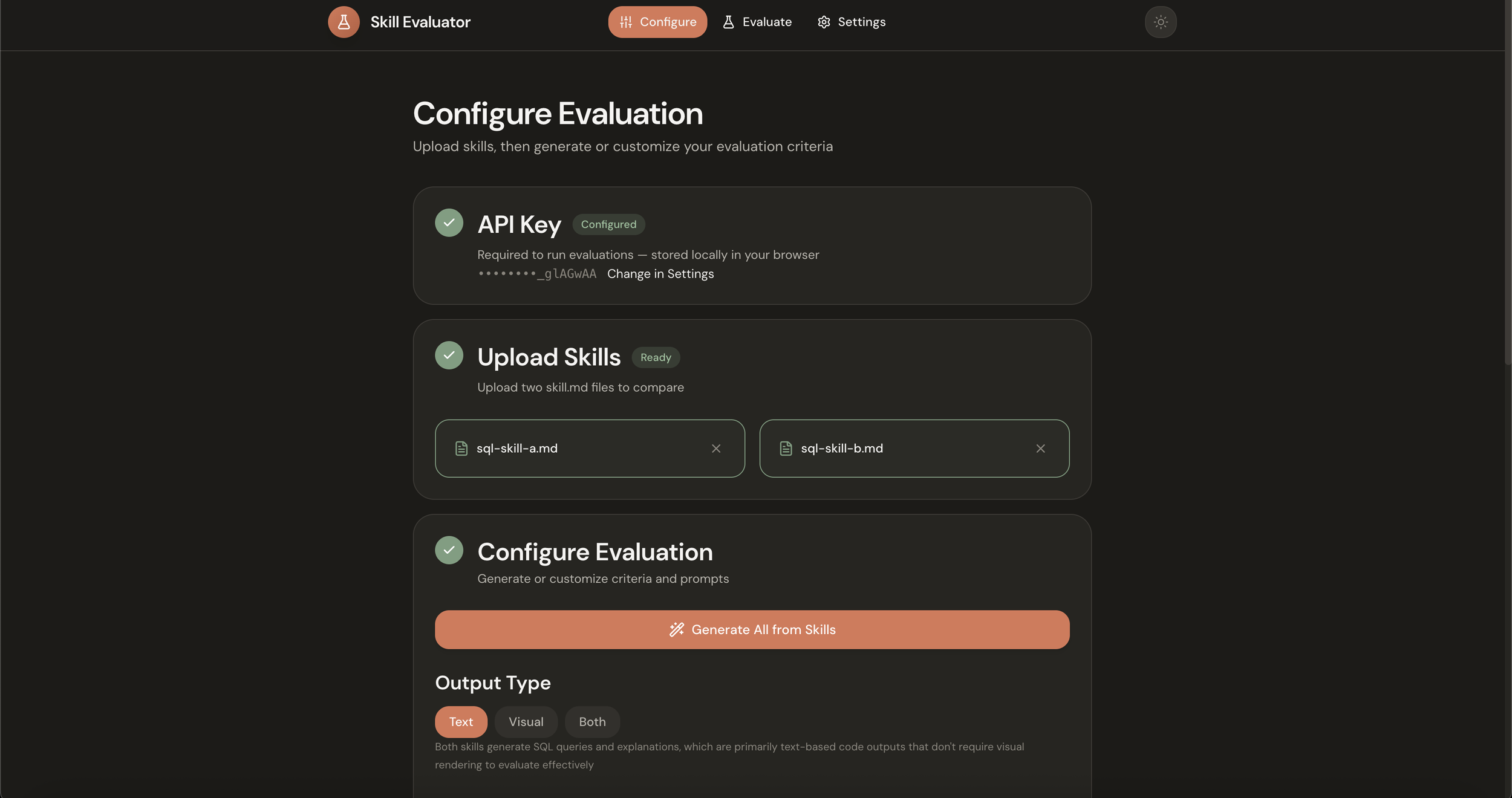
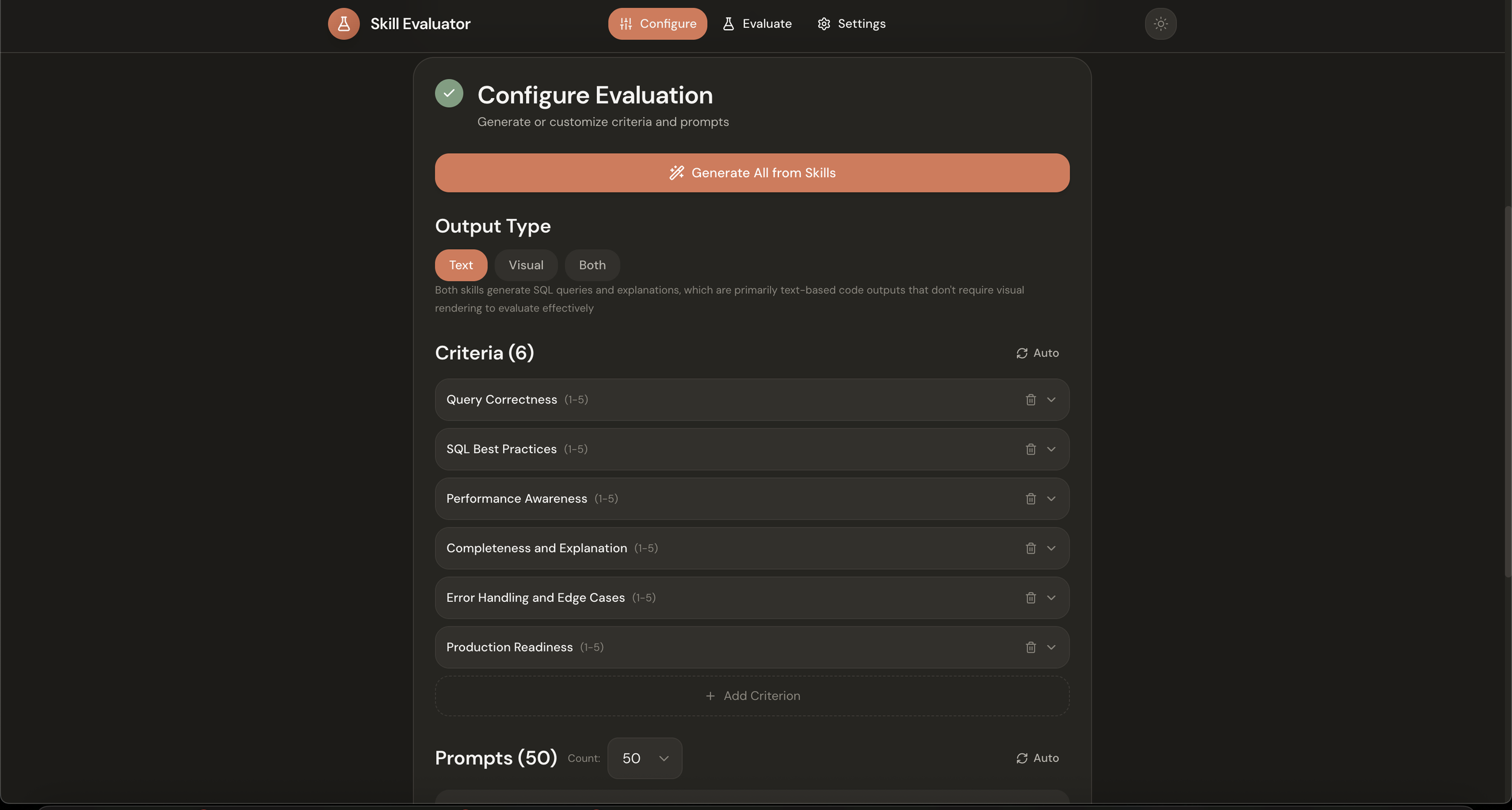
Configure. You upload two skill files, Skill A and Skill B. Then you set up your evaluation criteria and test prompts. You can write these yourself, or click the Generate button and let Claude analyze your skills and create appropriate tests automatically. It looks at what the skills are trying to do and generates criteria that would distinguish good outputs from mediocre ones, plus a diverse set of prompts to stress-test the skills across different scenarios. You also choose your output type: text, visual, or both, depending on what your skills produce.
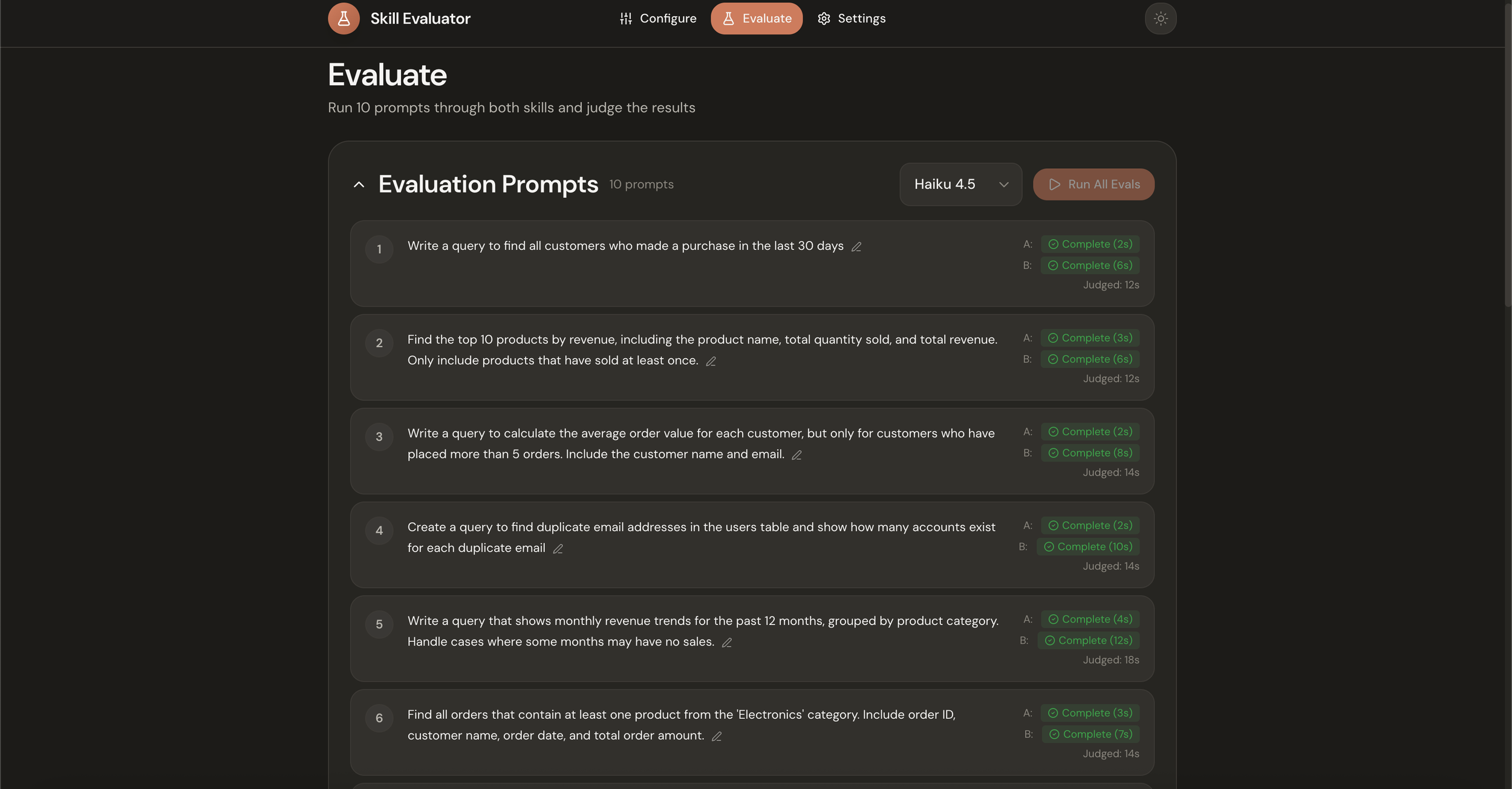
Evaluate. You select your model (Haiku, Sonnet, or Opus) and run all prompts through both skills simultaneously. Each prompt generates two outputs, one from each skill, displayed side-by-side. For visual skills like frontend design, a Puppeteer server captures full-page screenshots of rendered HTML.
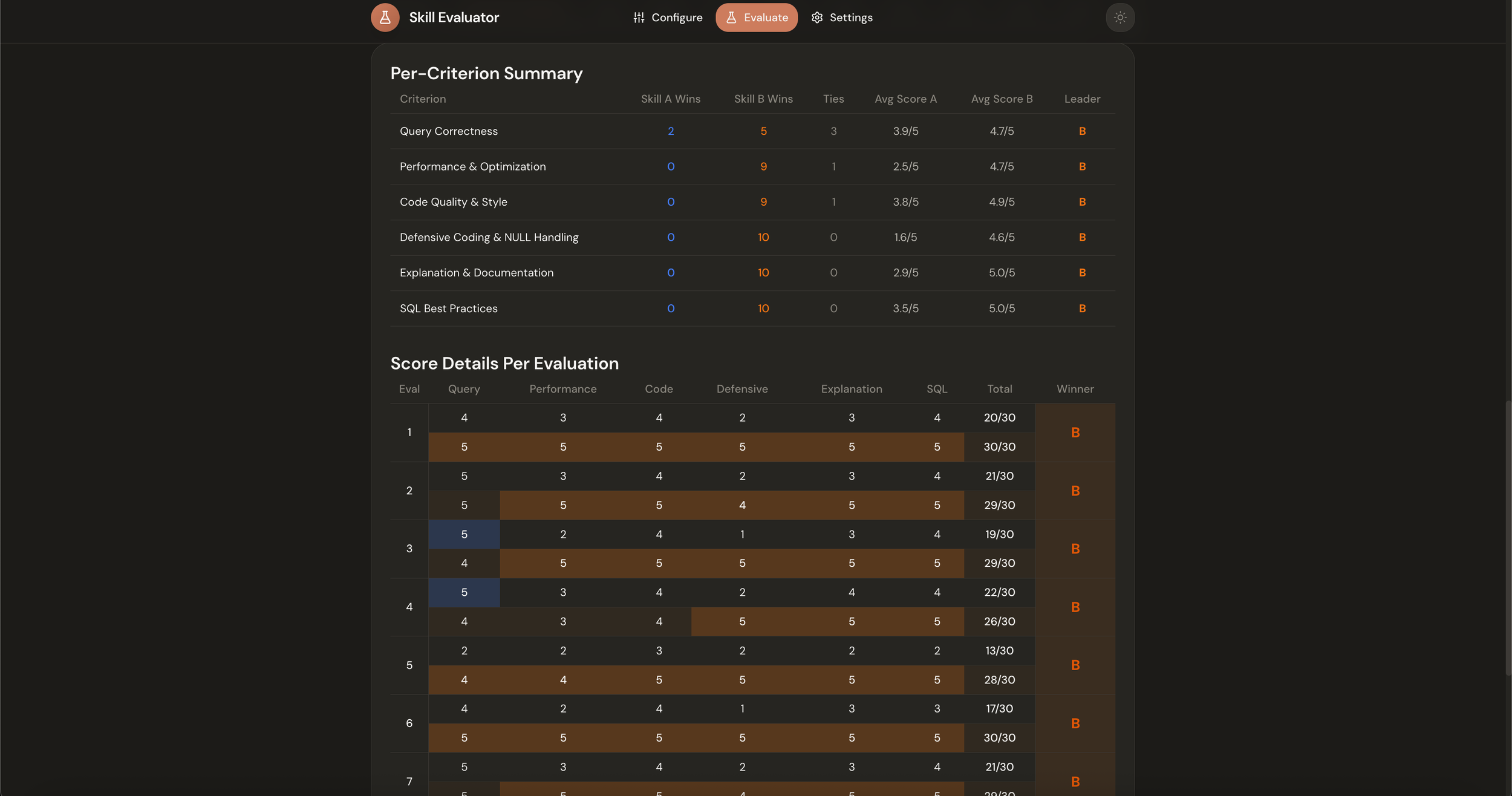
Results. Once generation completes, you run the judge. Claude Opus scores both outputs against your criteria without knowing which skill produced which output. The summary view shows overall wins and losses, while the detailed breakdown reveals per-criterion scores and patterns. You can see not just which skill won, but why it won and where each skill tends to be stronger or weaker.
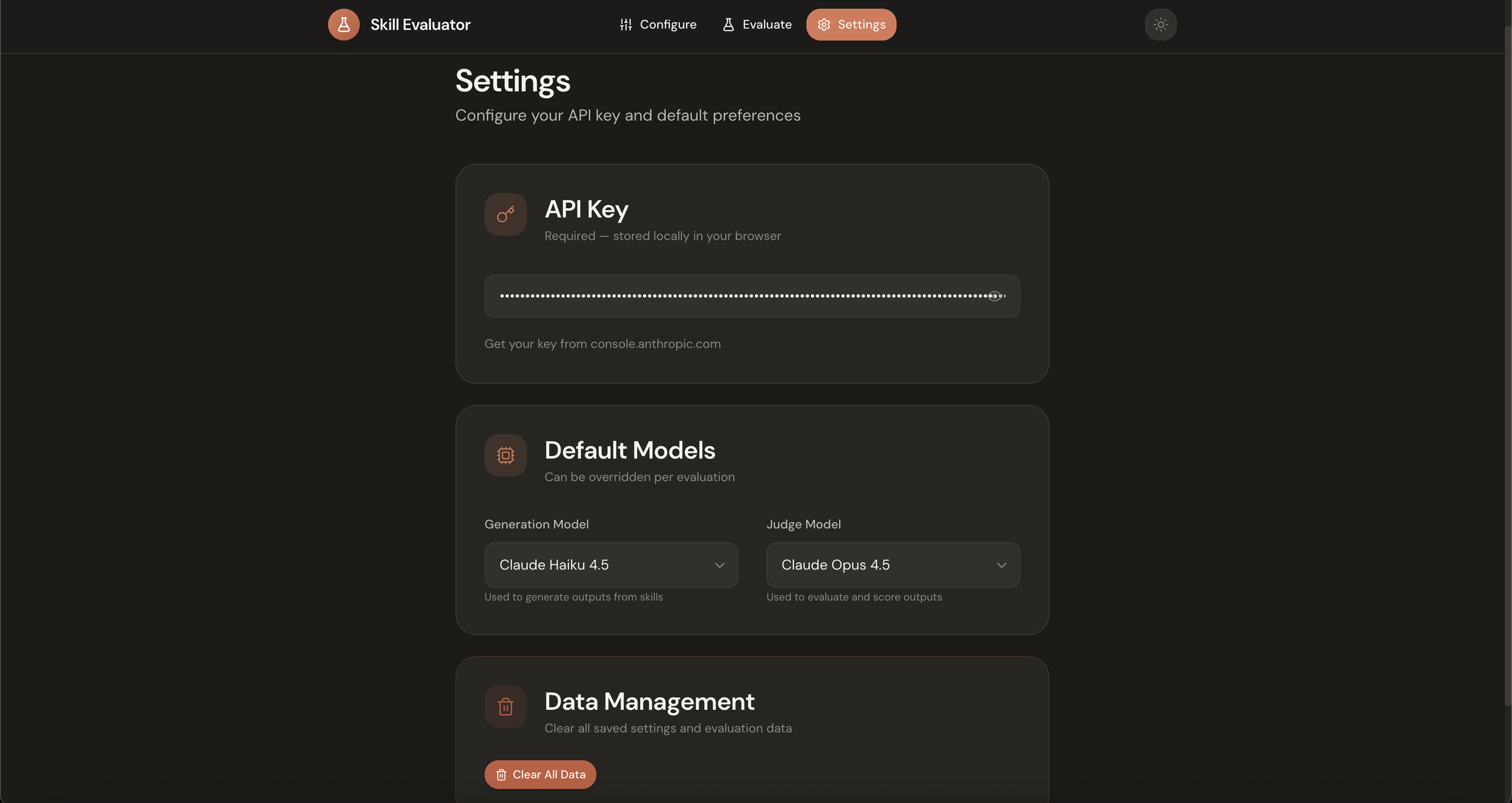
The whole thing runs locally. You bring your own Anthropic API key, and everything stays on your machine.
From hardcoded to extensible
The original system I built was hardcoded to frontend evaluation. It had a specific prompt library, specific criteria about visual polish and aesthetic fit, a specific workflow tuned to capturing screenshots of rendered React components. It worked for that project, but it wasn't useful for anything else.
Extracting the core evaluation engine meant separating the domain-specific parts from the general machinery. The prompt bank became configurable. The criteria became configurable. The output type became configurable. Now you can 1v1 any two skills, in any domain, with any model.
Want to test two different SQL skills? Upload them, generate criteria about query efficiency and readability, run the eval. Testing writing skills? Same flow, but with criteria about clarity and voice. The auto-generation feature handles most of the setup work, analyzing your skill files and proposing appropriate tests, though you can always override it with your own criteria and prompts if you have specific things you want to measure.
Design lineage
This project is a spiritual successor to my work on Bloom GUI , a visual interface I built for Anthropic's behavioral evaluation framework. Building that taught me a lot about what makes evaluations useful: clear metrics, comparative analysis, good visualization. I brought that learning into SkillEval, along with the design language I developed there.
The interface follows Anthropic's visual style, warm tones rather than clinical whites, intentional use of color, generous whitespace. If you've used the Bloom GUI or followed my other work, it should feel familiar. The goal is always the same: take something technical and make it legible without sacrificing any of the underlying power.
Why open source, why now?
People asked for it. After the frontend skill post , several people reached out wanting to run similar evaluations on their own skills. The hardcoded version wasn't useful to them, but a generalized tool would be.
I also think this addresses a real gap. As more people write custom skills, as the ecosystem grows, having infrastructure for testing those skills matters. Not every skill author needs to build their own evaluation pipeline from scratch. The patterns are general enough that a shared tool makes sense.
And honestly, I'm curious what people will do with it. The frontend design evaluation was my use case, but skills span every domain Claude can operate in. I'm excited to see what other skill authors discover when they start measuring instead of guessing.
Getting started
The repo is at github.com/justinwetch/SkillEval . Clone it, run npm install and npm run dev , add your API key in settings, and you're ready to go. The README has detailed setup instructions and example skill files to play with!
If you build something interesting with it, or find bugs, or have ideas for features, open an issue or reach out. This is the kind of tool that gets better with use, and I'd love to hear what you learn.