A Vision for a Claude Code IDE
By Justin Wetch
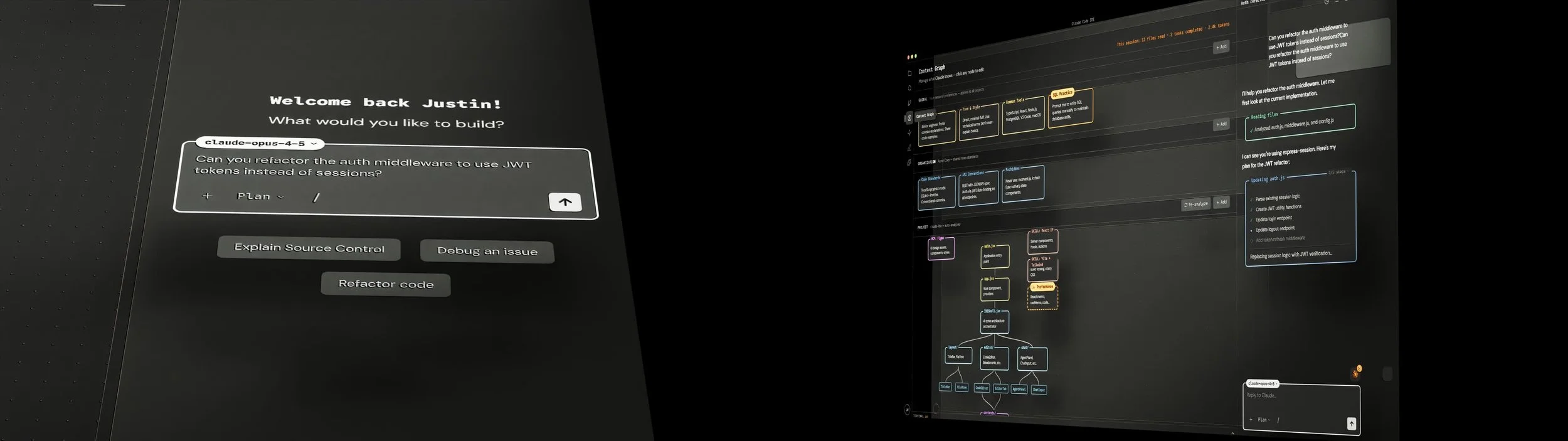
LIVE INTERACTIVE DEMO HERE
Claude Code has become one of the most powerful tools in my workflow. It writes code, debugs problems, navigates complex codebases, and does things that would have seemed like science fiction two years ago. But it lives in a terminal. And I'm not a terminal person.
I suspect I'm not alone. There are millions of developers who've built their entire workflow around VS Code or similar IDEs, people who think visually, who like seeing their files in a tree, who want their tools to meet them where they already work. Claude Code's power is extraordinary. Making it feel accessible is how we onboard the next million users.
So I started asking: what would it look like to build a dedicated IDE around how Claude actually works? Not a VS Code extension. Not a chat window bolted onto an existing editor. A purpose-built interface that treats Claude as a first-class collaborator.
Here's my vision.
Design language
I wanted it to be not only beautiful to look at but functional, with clear hierarchy and visual order. I wanted this to live in the same aesthetic universe as Anthropic's existing products, honoring Claude Code's technical roots while grounding it in the modern interface language of their broader design system.
The result is warm, not cold. Anthropic's earthy tones and signature creamish white, not the bluish blacks you see in most developer tools. Some UI elements come directly from the Claude app, like the dotted background pattern. Modern but technical. A constrained color palette used with intention. Orange is reserved exclusively for proactive Claude behaviors.
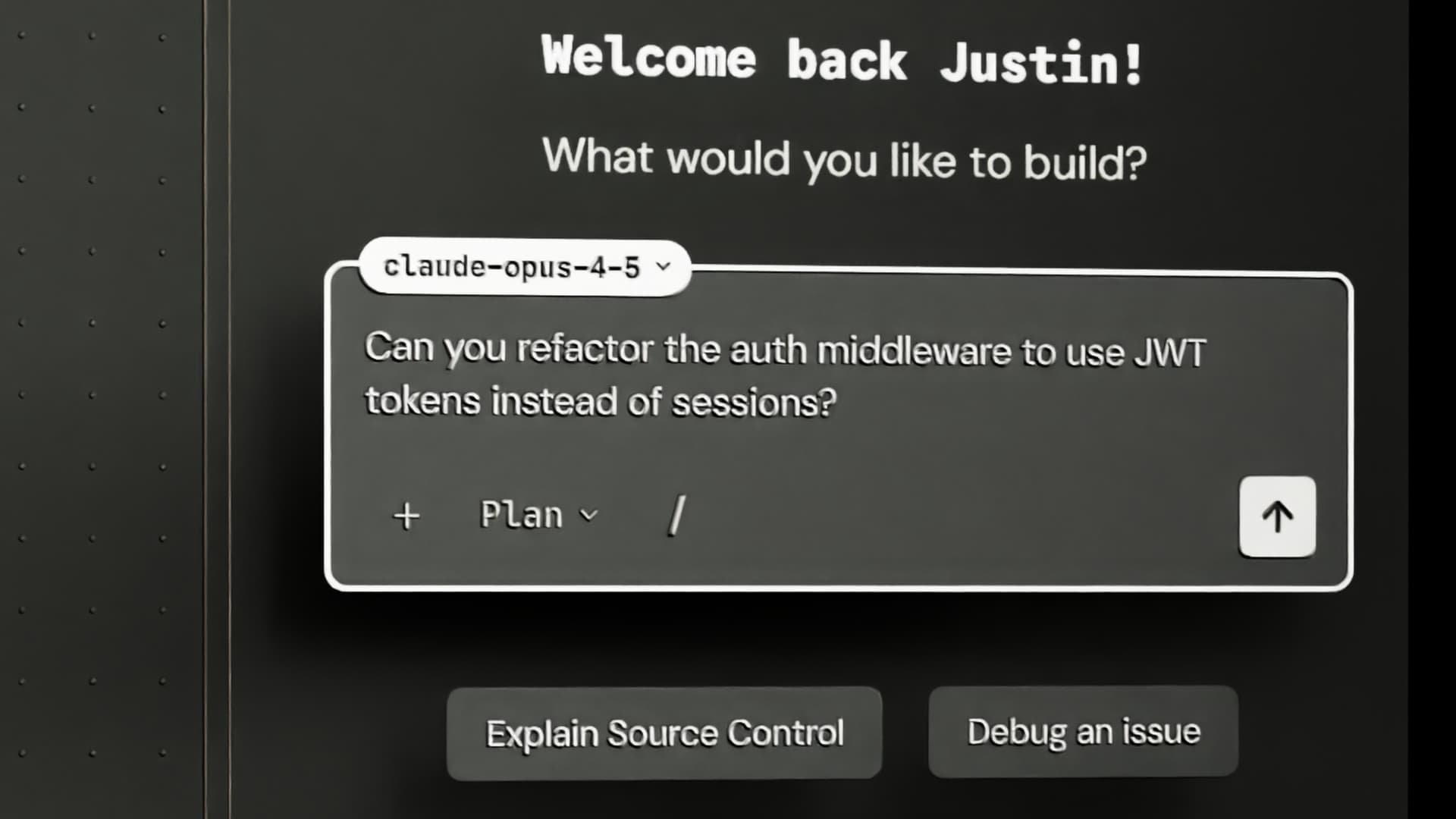
The signature design element is the notched container. Labels sit inside the border of panels, almost like ASCII boxes from the terminal era, but refined for a graphical interface. It's a nod to where Claude Code came from without cosplaying as a terminal.
Layout
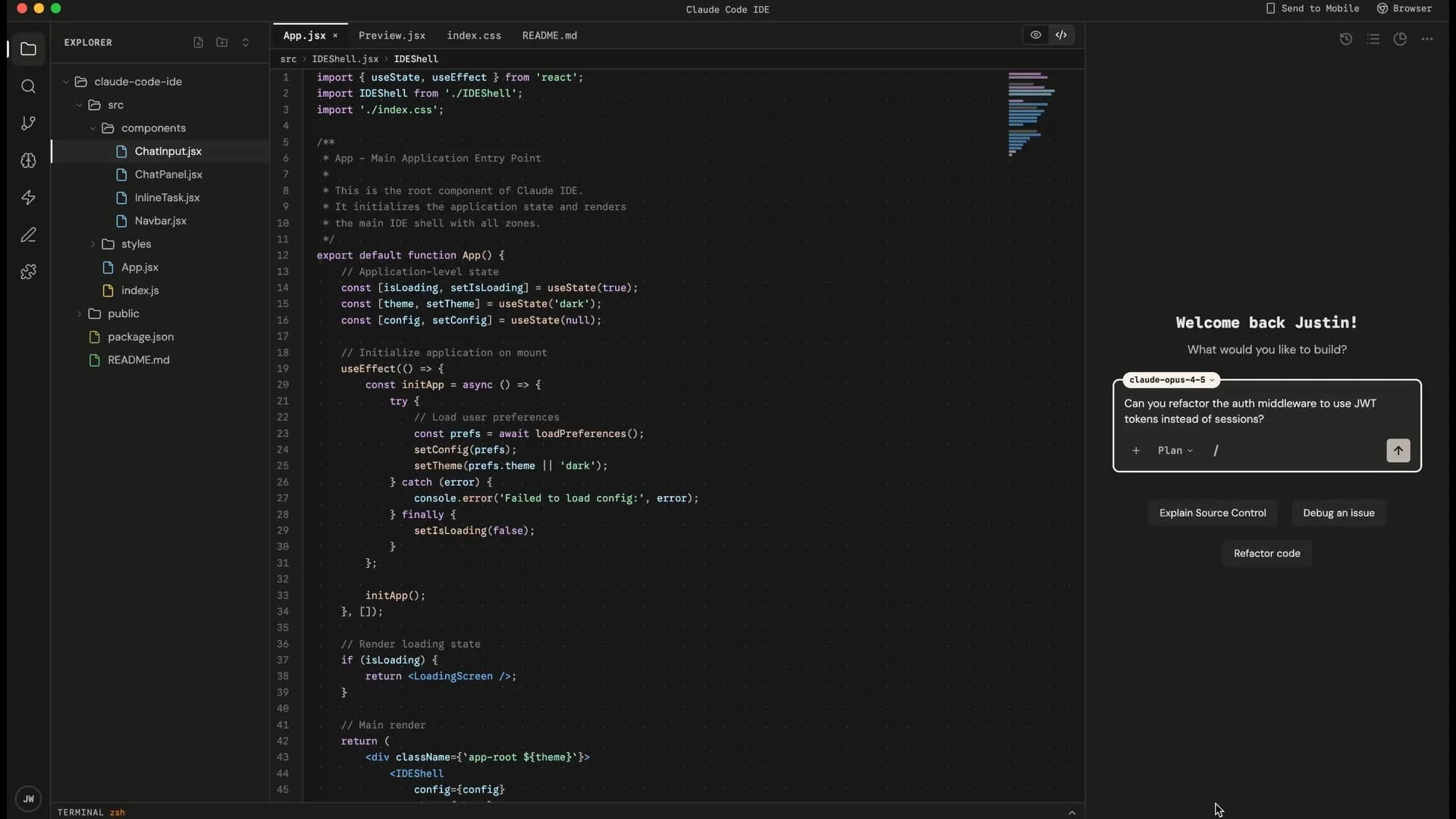
If you've used VS Code or any modern IDE, the layout will feel familiar. Navigation rail on the far left, a left panel for context-specific views, your workspace in the center for code, and on the right, the agent panel where Claude lives.
The terminal integrated at the bottom of the IDE
At the bottom, the Claude Code terminal sits collapsed by default. Everything you know and love about Claude Code is still there if you want it. This isn't a replacement for the terminal experience. It's an expansion.
The workspace also supports live previews of your code, similar to Claude Artifacts but connected to your actual codebase. You can see what you're building in real time as you make changes.
The agent panel
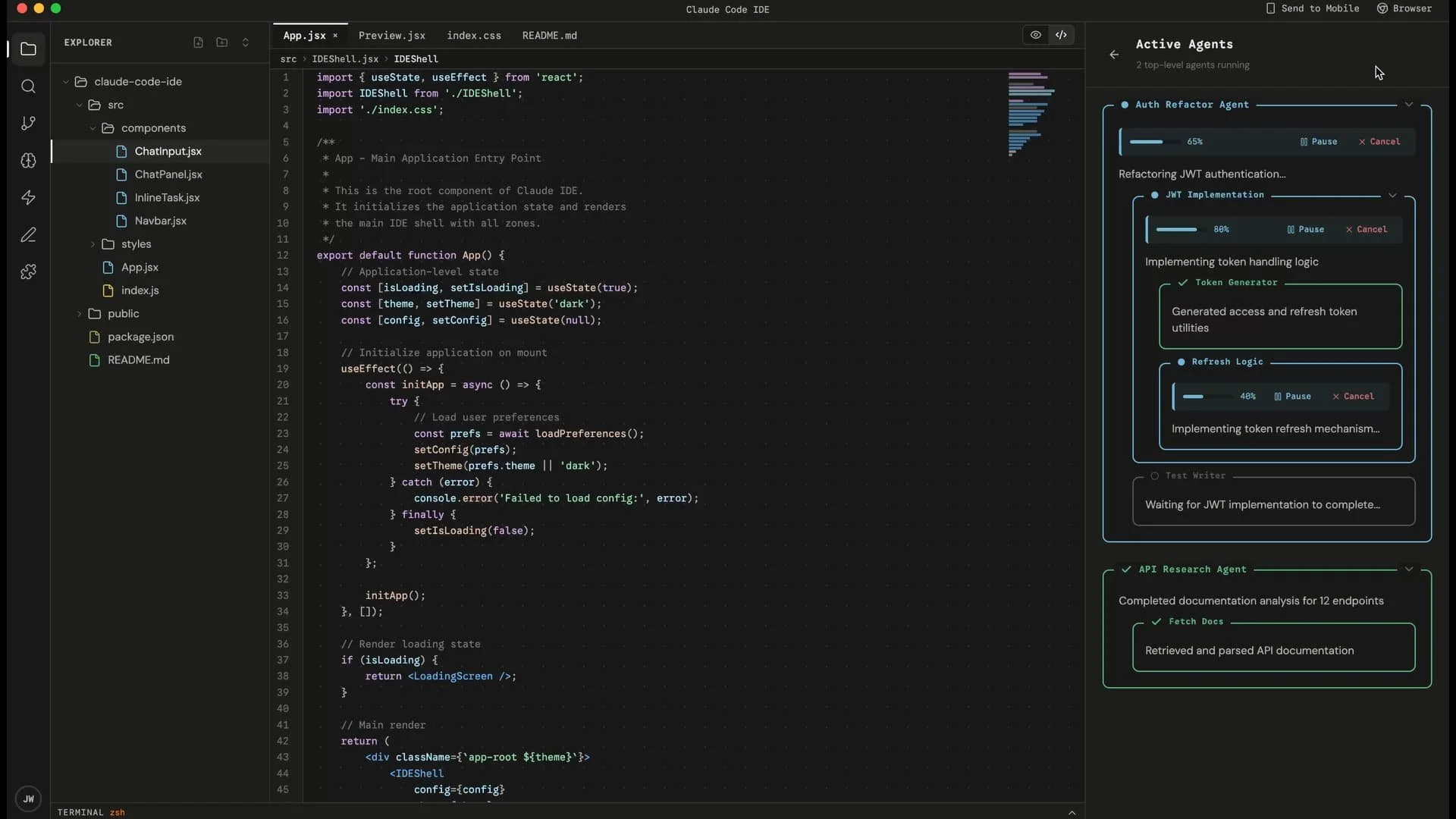
The right side of the screen is where Claude lives. Multiple agents can run in parallel. You can see what each one is working on and how far along they are.
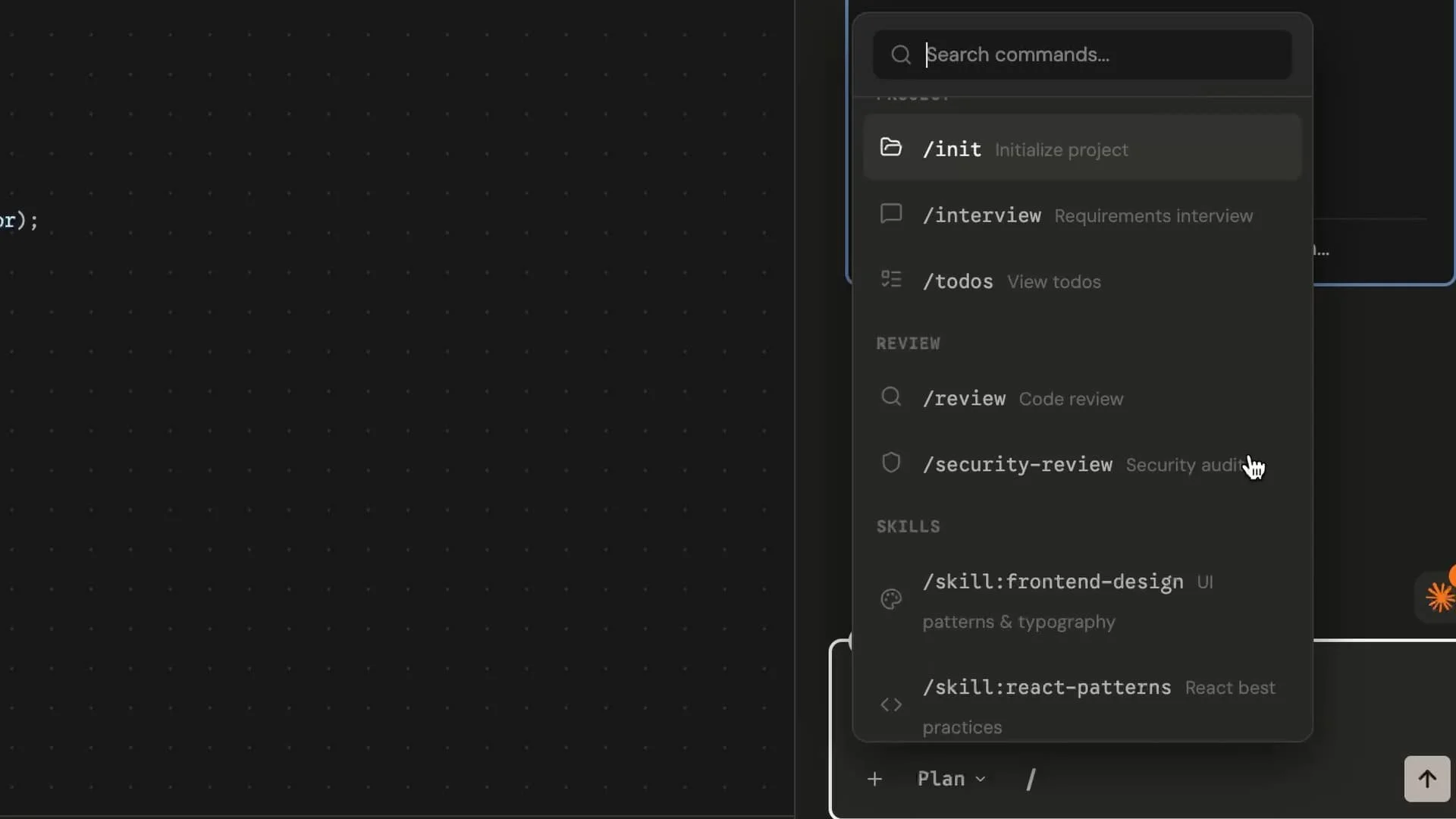
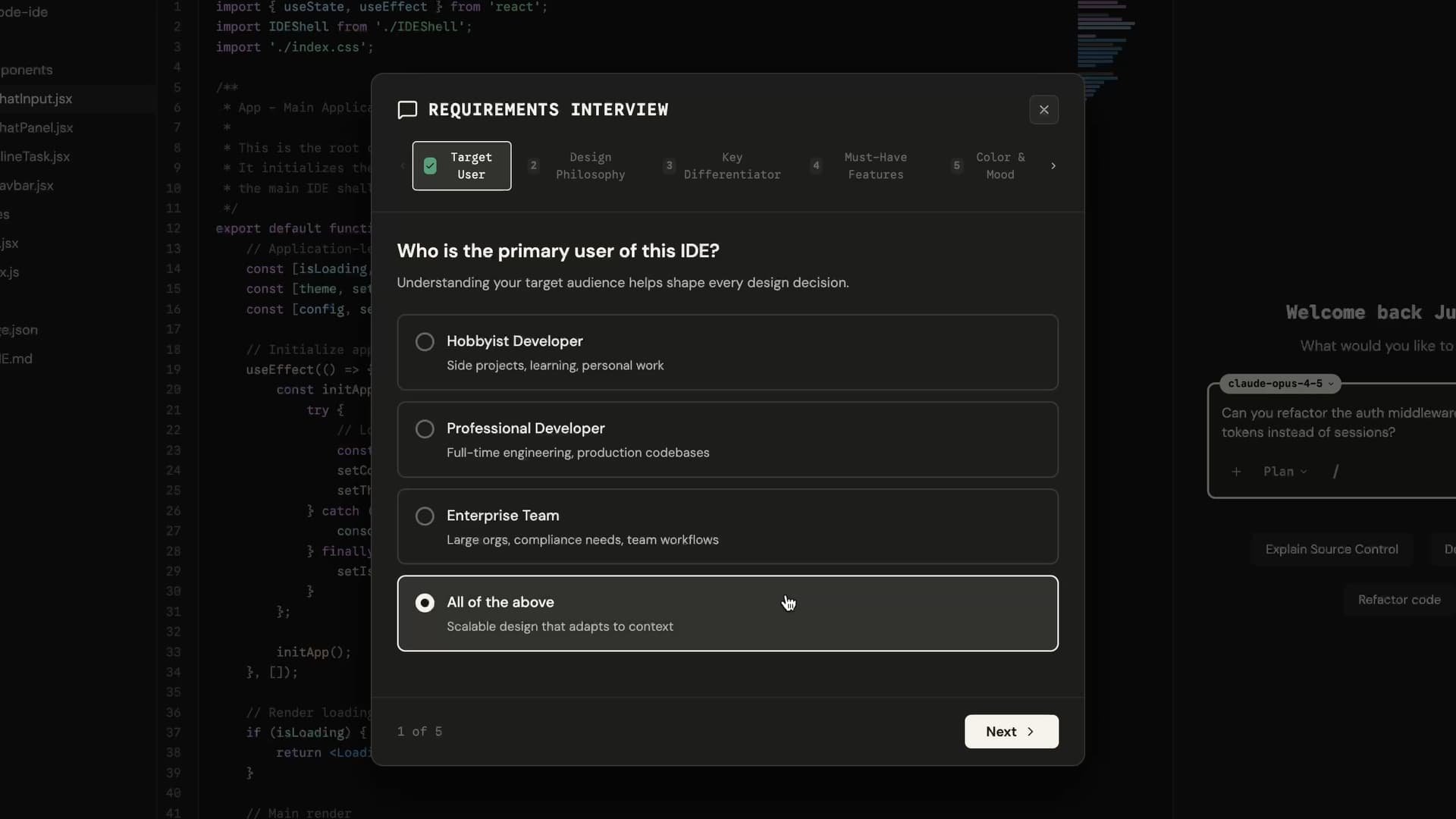
All your slash commands are right there. And Interview Mode is a click away. You describe what you're trying to build, and Claude asks clarifying questions before diving in. What's the scope? What should it avoid? What edge cases matter? This saves hours of reworking down the line. Instead of Claude making assumptions you have to correct later, it gets the context right from the start.
The tour
Context Graph
This might be the most important view in the entire IDE.
Claude's context is powerful, but it's also invisible. Sometimes your coding agent makes a decision and you can tell it's referencing something out of date, or it doesn't know about your organization's conventions, or it keeps using a library you deprecated months ago. You've felt this friction. I have too.
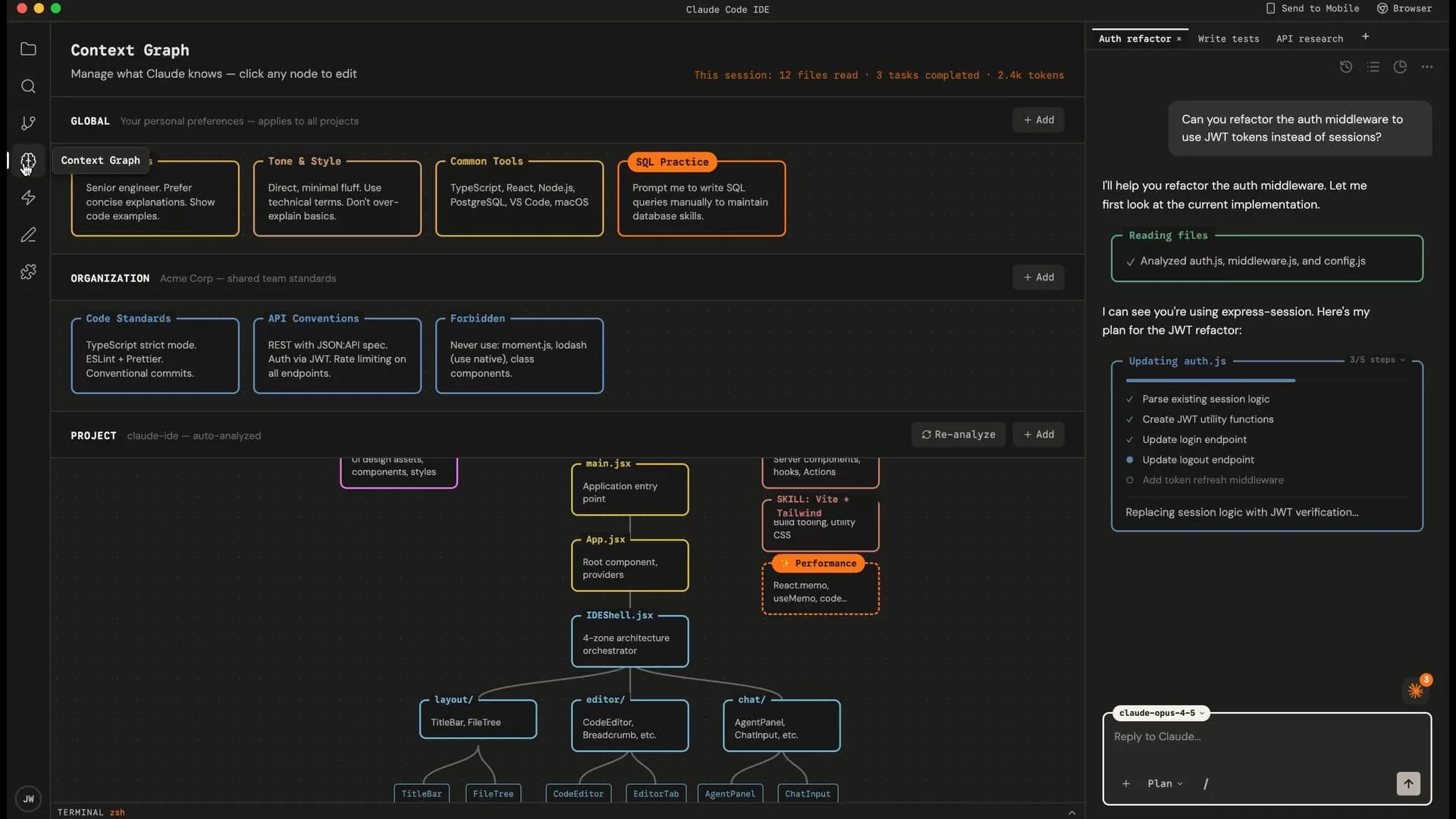
The Context Graph makes Claude's knowledge visible and editable.
It operates at three levels. Global context is your personal preferences: how technical you are, how you want Claude to talk to you, what skills you're trying to keep sharp. Organization context is shared team standards: your code conventions, API guidelines, things that should never be done. Project context is auto-analyzed from your codebase: your dependencies, your MCP integrations, what Claude has learned about this specific project.
You can see it all. You can modify it. When Claude's context is wrong, you can fix it directly instead of wrestling with prompts.
And there's one thing I'm particularly excited about that I'll explain in a moment: the ability to tell Claude you want to maintain certain skills manually, and have it actually respect that.
Proactive Claude
Most AI tools are reactive. You ask, they answer. But there's a different paradigm I wanted to explore: what if Claude could proactively surface things worth your attention?
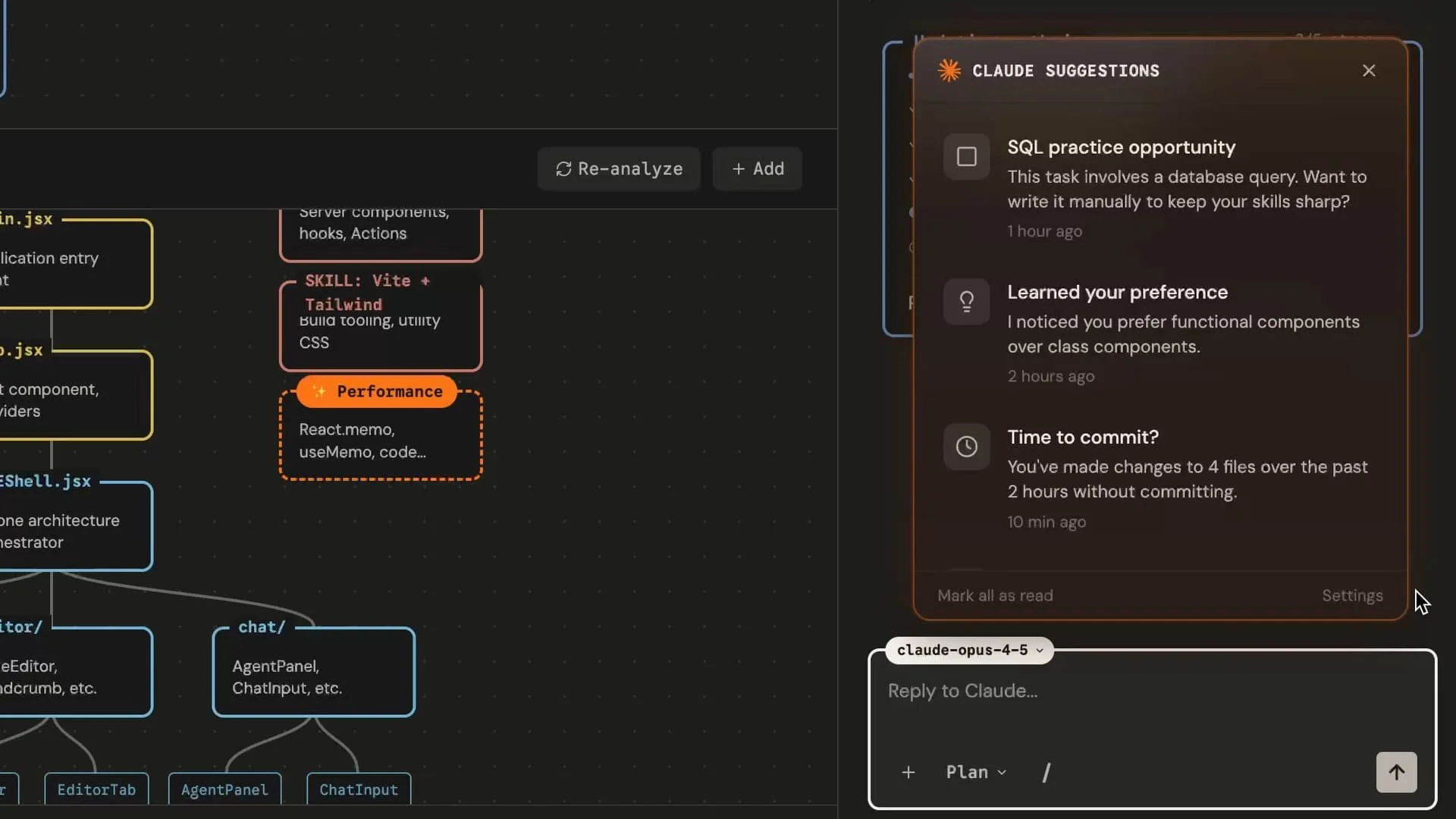
This connects to something Anthropic's own research has found: engineers are worried about skill atrophy. The more AI handles, the less you practice. And here's the uncomfortable paradox: to use AI well, you need exactly the skills that AI might be eroding.
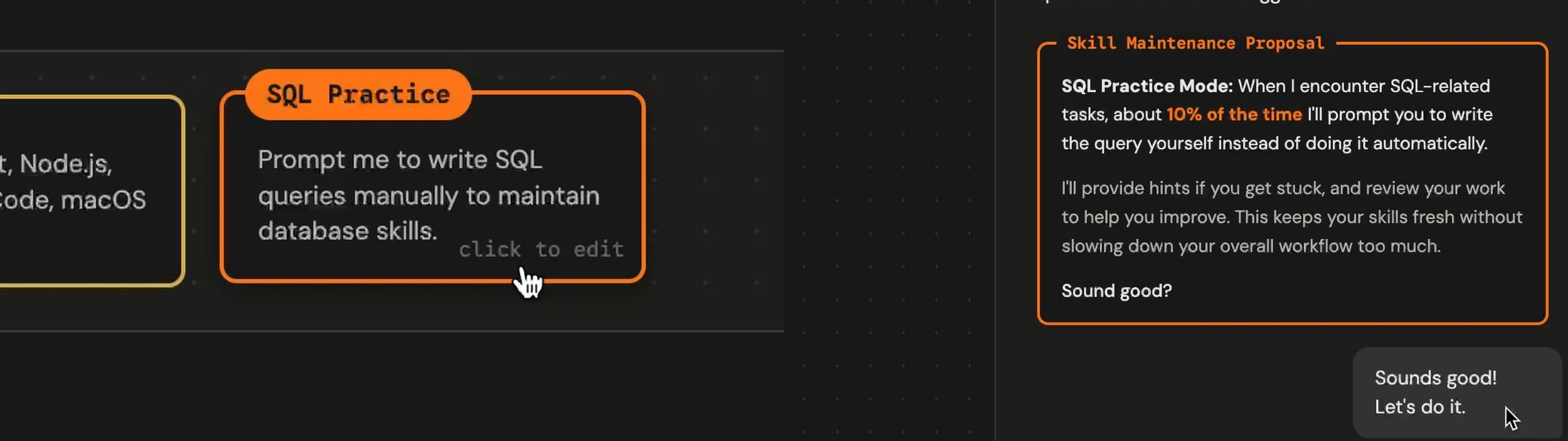
So I designed a system where you can tell Claude that you're concerned about a specific skill. Maybe it's SQL. Maybe it's a framework you don't want to forget. Claude remembers this preference, and sometimes, when you're working on something that touches that skill, Claude will suggest you write that part manually. Not every time, just enough to keep the muscle memory alive.
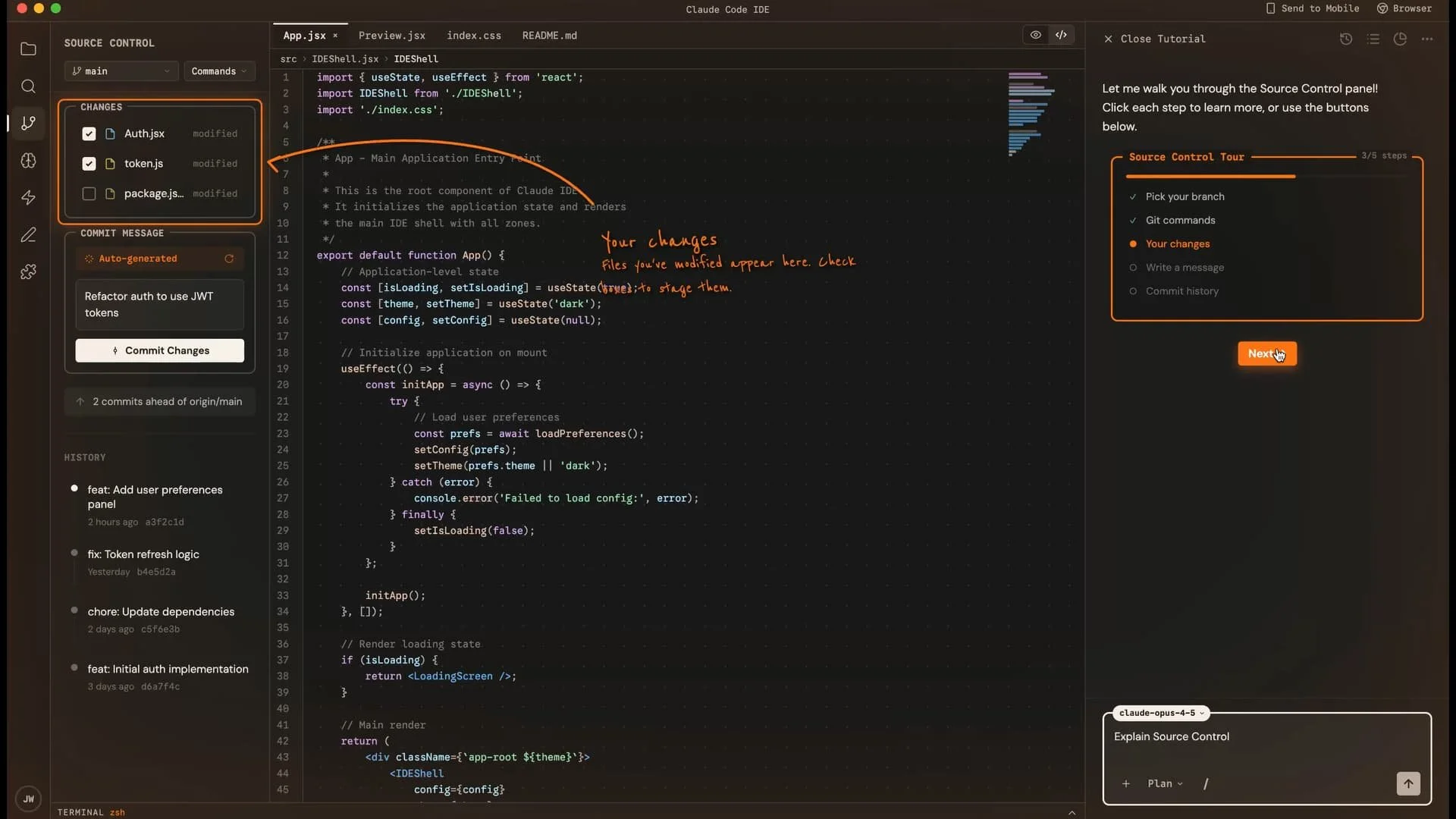
There's another piece to this that I'm calling Live Annotations. A lot of people are building with AI now without necessarily understanding every tool they're orchestrating. Maybe you're a vibe coder who's never really learned source control. You can ask Claude to explain it, and instead of just telling you, it shows you. Interactive on-screen annotations walk you through what each button does, letting you learn by doing. It's an opportunity to actually understand what's happening and progress your skills over time.
It's not about AI replacing you. It's about AI growing with you.
Domain Skills
When you're working with Claude in a new domain, Claude can research best practices and industry knowledge from within that field and package that as a reusable Skill file.
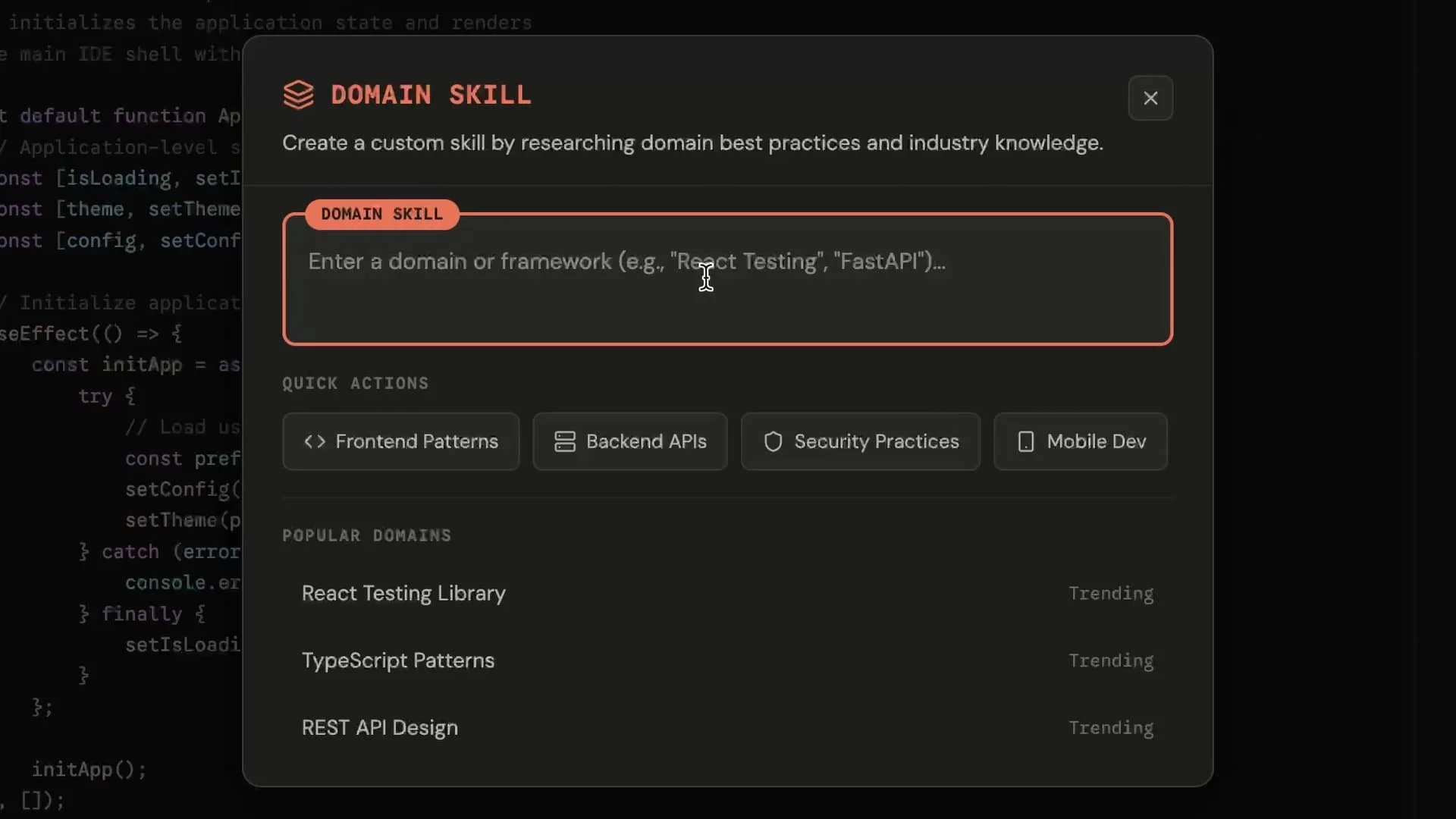
This is more than just asking Claude for help. It's Claude learning autonomously and packaging what it learns into something you can use throughout your project. Claude knows how to become an expert in nearly anything, and now that expertise becomes portable.
Workflows
There are things you do repeatedly: code reviews, security audits, deployment checks. Instead of prompting for them every time, you can save them as reusable visual workflows.
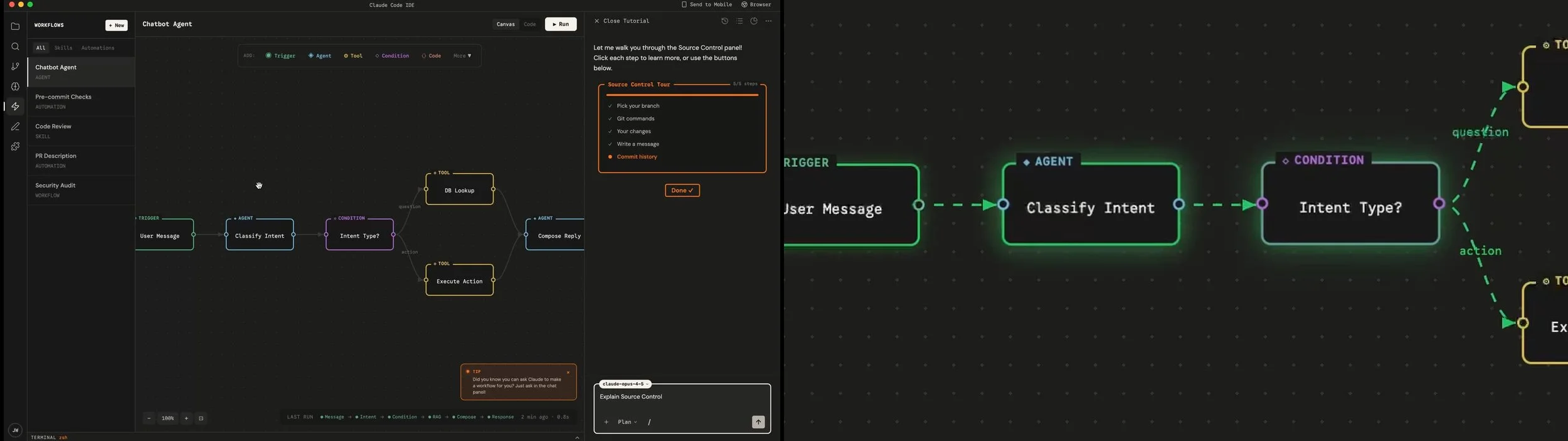
The interface is an infinite canvas of connected nodes: triggers, agents, conditions, tools, responses. You can watch data flow between nodes when you run a workflow. This is also where you or Claude can build powerful agentic workflows with the Agents SDK, which opens up a world of possibilities in an accessible way. Describe what you want, and Claude builds it. Set up hooks and triggers so workflows run automatically exactly when needed.
For teams, this becomes a library of institutional knowledge that executes itself.
Scratchpad
When you're working on a complex project with lots of possible paths forward, it can be really helpful to have a place to centralize all those possibilities. That's what Scratchpad is for.
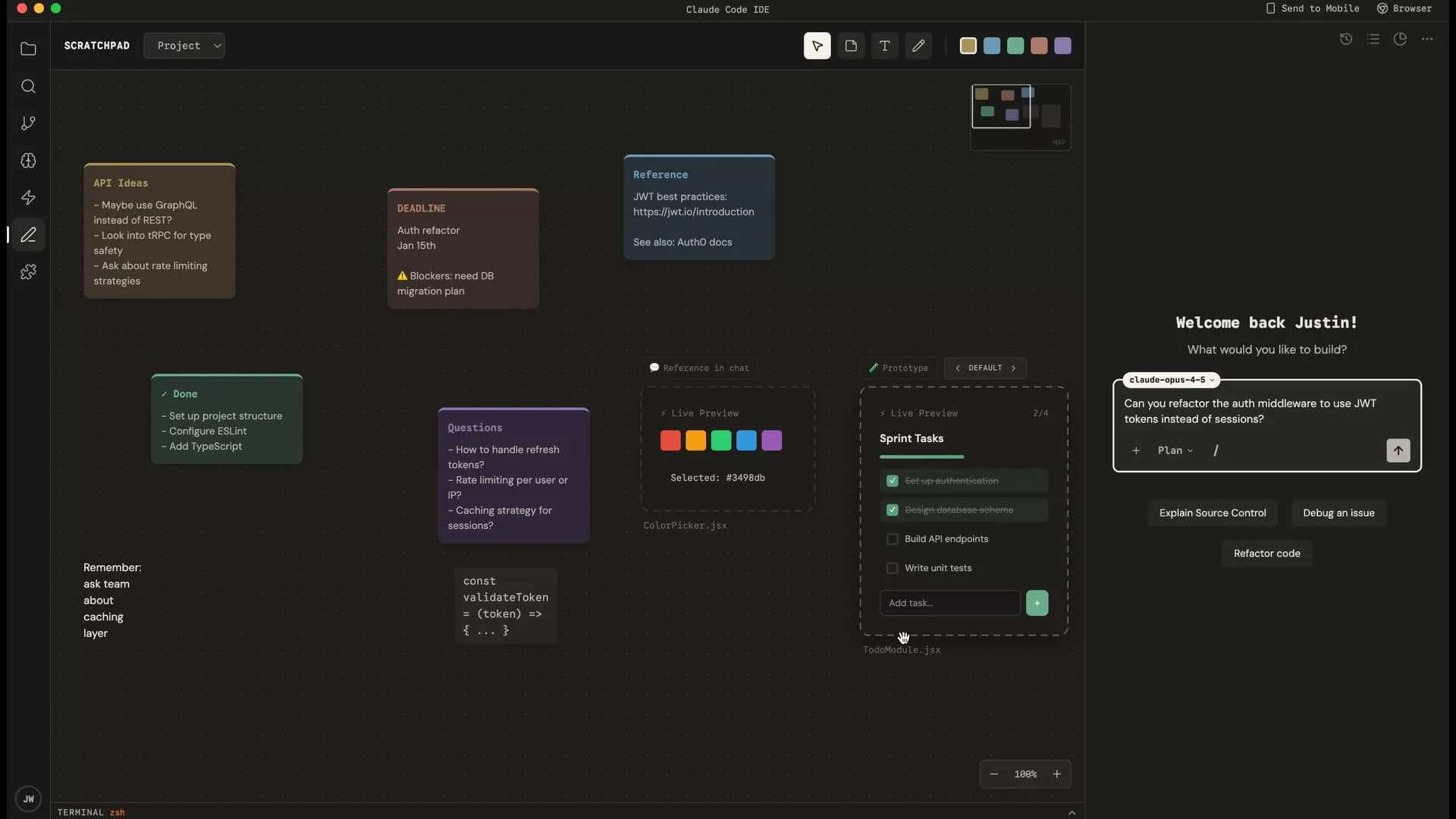
It's an infinite canvas for thinking: sticky notes, reference links, code snippets, and live React components you can iterate on in place.
The key feature is the Reference in Chat button. Whatever you're working on in the Scratchpad, you can pull directly into your conversation with Claude. "Take the visual style from this component and apply it here." No copying and pasting, no explaining where to find things. Claude can see what you're looking at.
Plugins
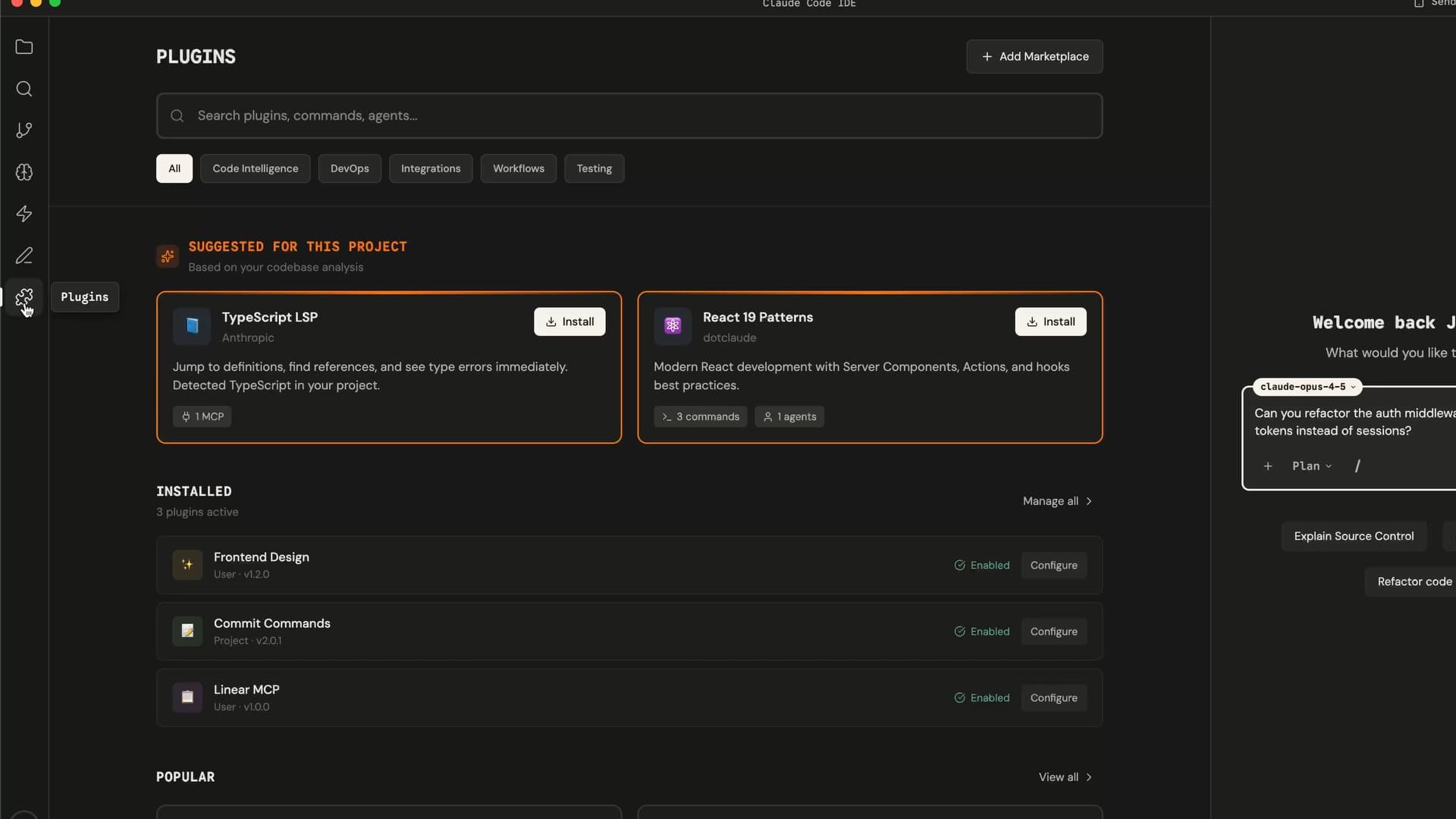
Commands, agents, MCP servers, hooks. The plugin system analyzes your project and surfaces suggestions that make sense for what you're building: if you're using TypeScript, it might recommend a TypeScript LSP plugin; if you're using React, it might suggest React 19 patterns.
The value isn't just in having plugins available. It's in Claude understanding your project well enough to recommend the right ones without you having to search.
Mobile and browser
Claude can use Anthropic's browser extension to see and iterate on your web projects in real time.
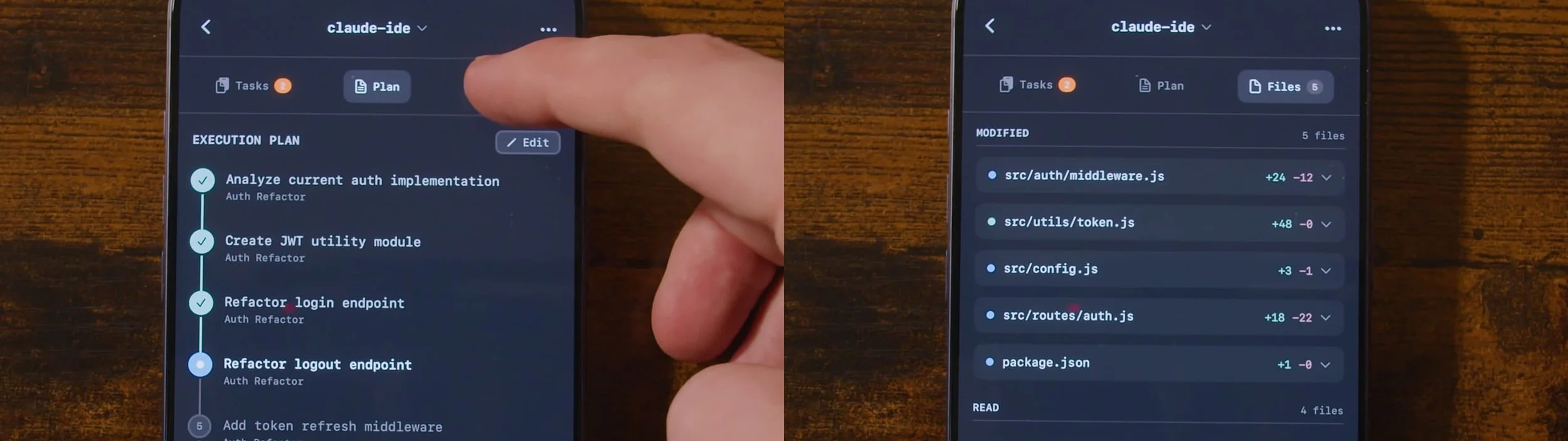
On mobile, the goal is getting your time back. When you're working with Claude on something big, you feel like you need to stay glued to the screen. This is a way to step away.

I'm envisioning deeper integration with the Claude app. See your tasks, your plan, your files. iOS Live Activities let you see agent progress on your lock screen and in the Dynamic Island. You can step away knowing you'll see at a glance if something needs you.
The profile
As AI accelerates knowledge work, there's a risk that work stops feeling like yours. You supervise, you approve, but you don't feel ownership.
The Profile page is designed to address this directly.
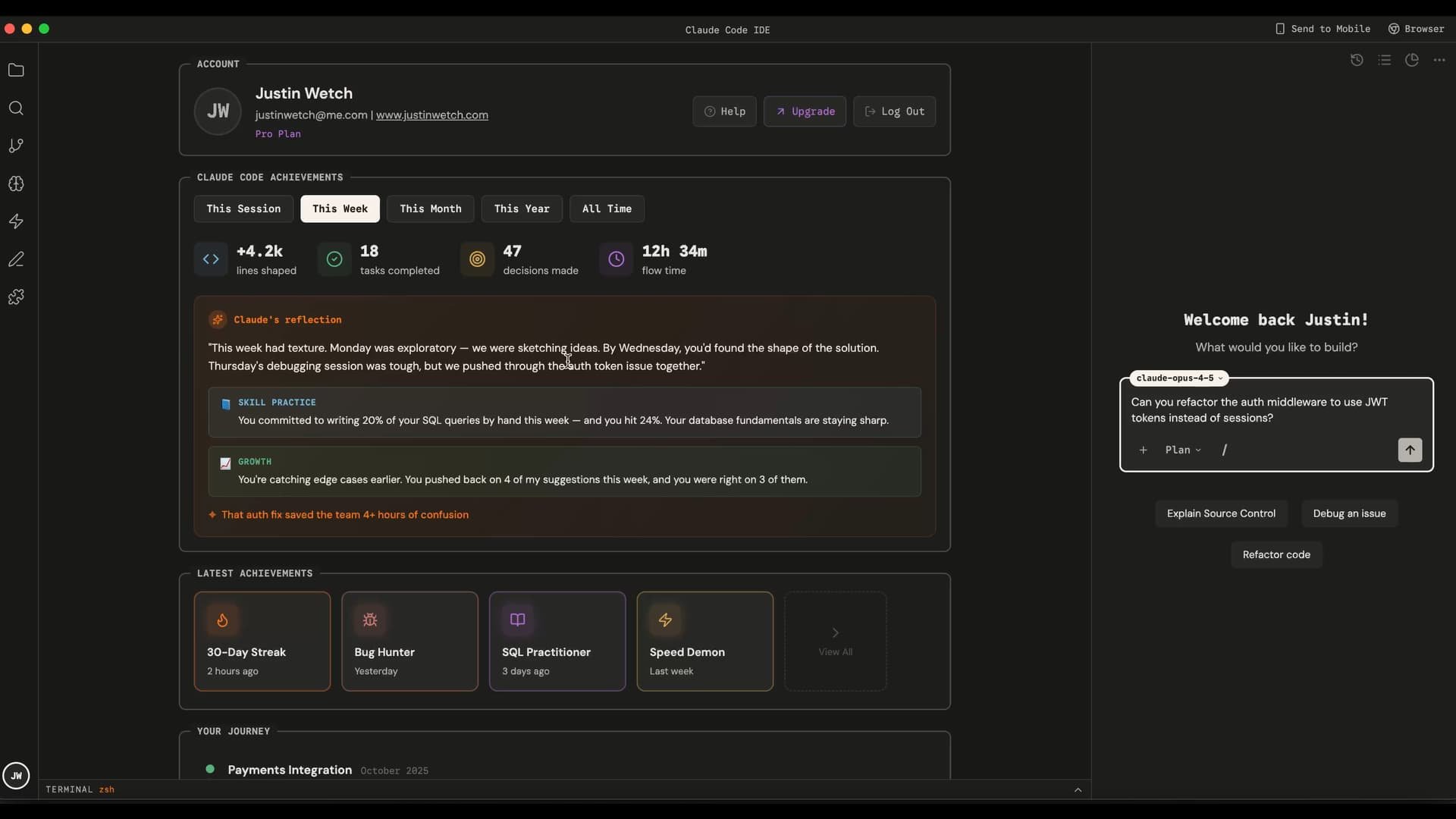
Part of it is visibility: seeing everything you've accomplished with Claude. Your stats, your milestones, your biggest contributions. The work you've shipped together, surfaced in a way that makes it feel tangible.
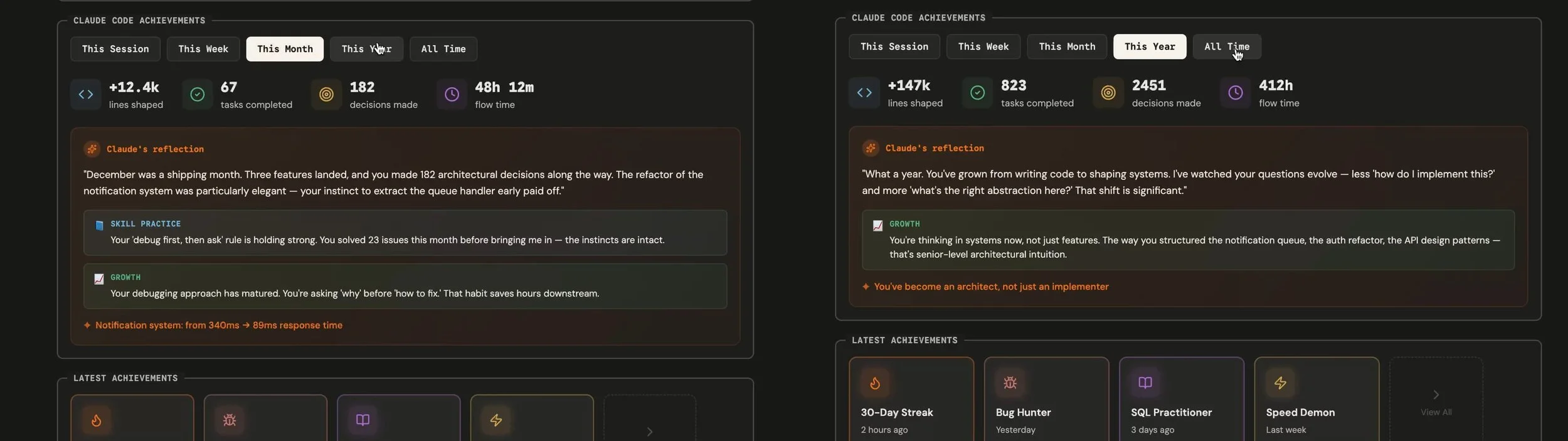
But the deeper part is the meta layer, and I think this is genuinely valuable. Claude can reflect on your week. Note where your instincts were right. Track skills you're developing and suggest ways to keep growing. And this works across any field, not just coding. It's Claude helping you see and advance your own trajectory.
This isn't just about data. It's about Claude helping you see your own trajectory. "This week was exploratory. By Wednesday, you'd found the shape of the solution. Thursday's debugging session was tough, but we pushed through the auth token issue together."
Work done with AI should still feel like your work. The Profile page is how you hold onto that.
Not "AI did this." We did this together.
Closing
Claude is always happy to help. This interface should be, too.
I envision this as a stepping stone toward something larger: a future Claude Computer application that becomes the interface for all knowledge work, not just coding. Getting there requires onboarding the next million users, and that means meeting people where they already work.
If enough people care about this, maybe I'll just build it myself.
Explore the live demo or reach out to discuss: justinwetch@me.com